11 Settings > Forum settings
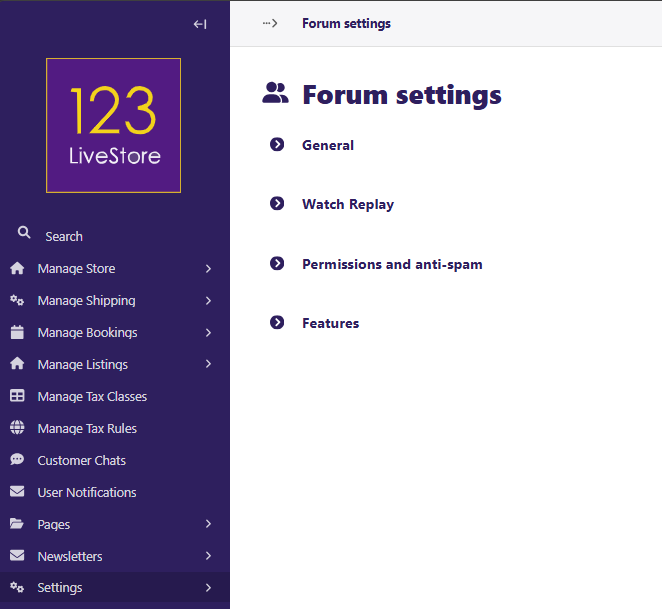
Forum settings
The Forum settings consist of 4 panels:
- General
- Watch Replay
- Permissions and anti-spam
- Features
General
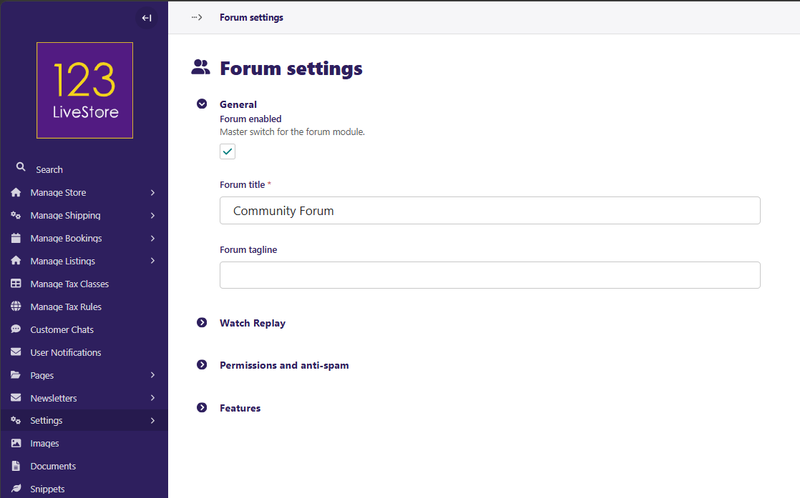
The General panel allows you to enable a forum for your website if desired. You must provide a Forum title when enabling the forum feature. There is also an optional Forum tagline.
Watch Replay
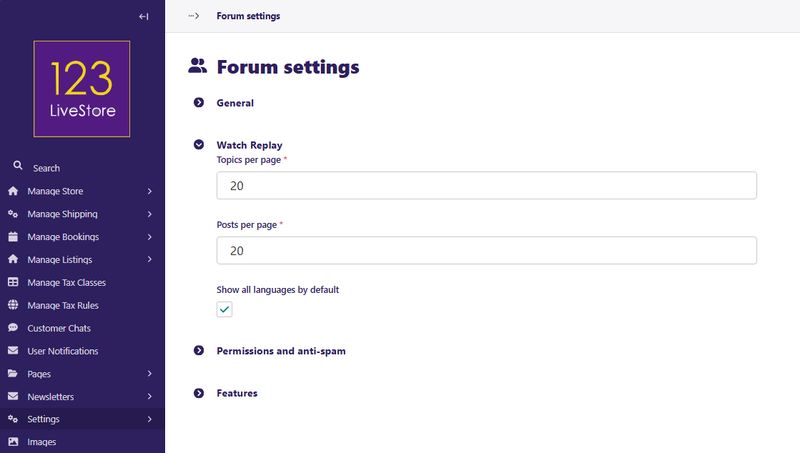
The Watch Replay panel allows you to specify the number of Topics per page and the number of Posts per page. You also have the option of showing all Topics and Posts in all languages by default. If unchecked, only Topics and Posts in the default language will be shown.
Permissions and anti-spam
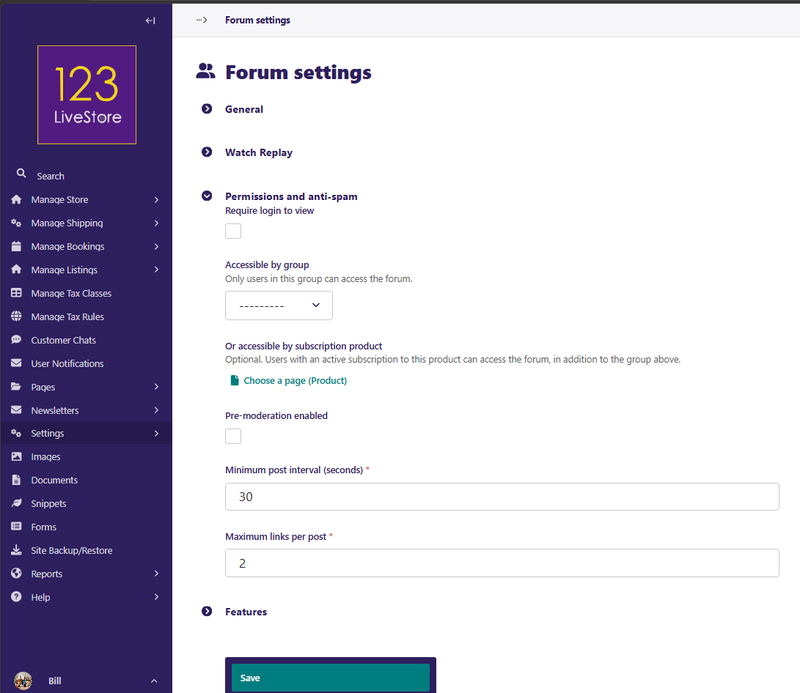
The Permissions and anti-spam panel allows you to control which users and how they can interact in the forum. By default, all users must be registered users before they can create Topics or Post replies. However, you have the option to allow visitors to the forum to view the forum without having to log in, or you may specify that users must log in to view.
You can also make the forum accessible only to a specific group of users such as the Customer group. If unspecified, all users may access the forum, subject to view and posting requirements.
Access to the forum can also be granted as a paid subscription. You'll need to create an intangible subscription product that grants access to a specified group. On the forum access page, go to privacy settings and change the settings to grant access to the group specified in the product page.
To help control spam, the Pre-moderation enabled setting means that all first-time posters will be moderated. Additionally, the Minimum post interval (seconds) also helps to prevent spam by limiting the frequency. The Maximum links per post setting limits links in posts to prevent posters from spamming a forum with links.
Features
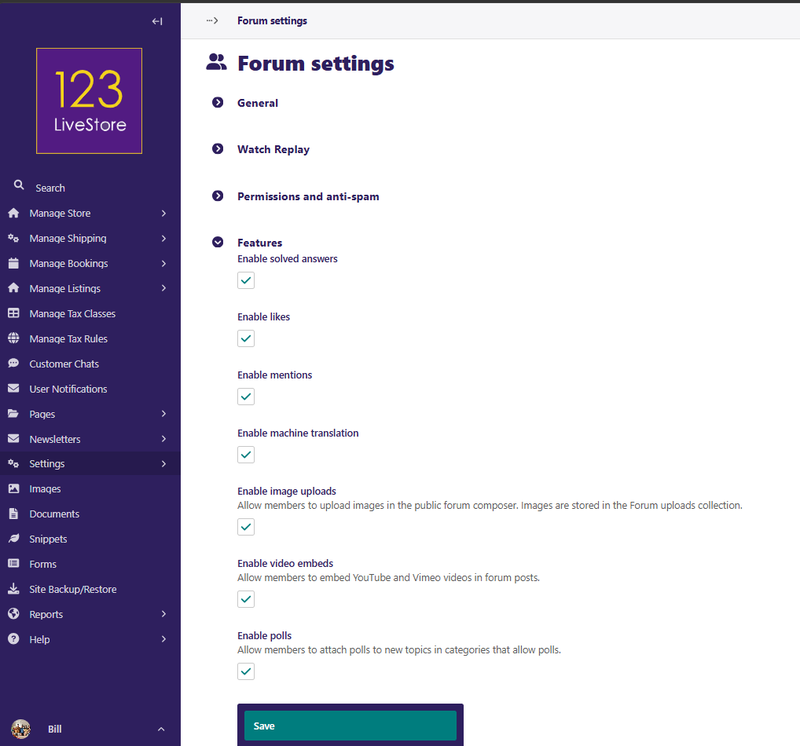
The Features panel allow you to enable specific features of the forum:
- Enable solved answers
- Enable likes
- Enable mentions
- Enable machine translation
- Enable image uploads
- Enable video embeds
- Enable polls